
Download iTop Screenshot – Free, Secure Screen Capture Tool for Windows, Mac, Android & iOS
Looking for a powerful yet simple screen capture tool? iTop Screenshot is a versatile desktop utility designed to help you capture any part of your screen with precision. Whether you're creating tutorials, documenting software bugs, sharing social media content, or preparing learning materials, this free software delivers high-quality results.
With unique features like scrolling screenshots, real-time editing, and instant sharing, iTop Screenshot stands out in a crowded market. Developed by ORANGE VIEW LIMITED—known for reliable tools like iTop VPN—this app is completely free to download and use with no hidden costs. It supports multiple platforms including Windows, Mac, Android, and iOS, making it a cross-device solution for modern users.
The intuitive interface ensures quick access to all tools, while customizable settings let you tailor the experience to your workflow. With built-in editing tools such as text annotation, drawing, and shape highlighting, you can enhance your screenshots without switching to another app. Plus, seamless integration with platforms like Instagram and email makes sharing effortless.
Whether you're a student, professional, or content creator, iTop Screenshot simplifies your digital workflow and boosts productivity.
Key Features of iTop Screenshot
One of the standout aspects of iTop Screenshot is its comprehensive feature set, designed with real-world use cases in mind. First and foremost, the scrolling screenshot function is a game-changer. Unlike basic tools that only capture what’s visible on screen, iTop Screenshot automatically captures entire web pages, long documents, or chat histories by scrolling down and stitching them into a single, seamless image. This feature is especially valuable for creating step-by-step guides, sharing lengthy emails, or documenting online forms.
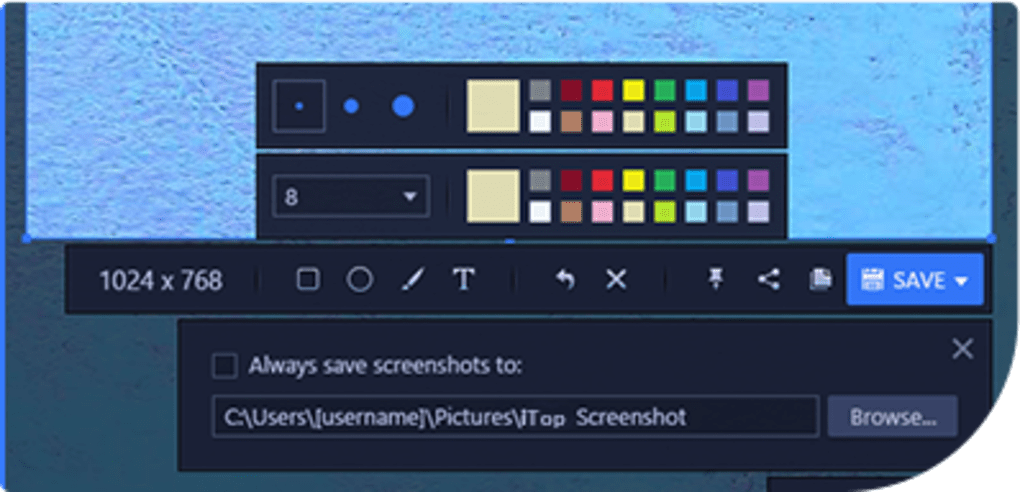
Another major advantage is the built-in editing suite. After capturing your screen, you can instantly annotate your image with arrows, circles, rectangles, freehand lines, and text overlays. This is perfect for highlighting key details, marking errors, or explaining complex workflows. The tool also supports transparency adjustments and color customization, allowing for professional-looking visuals.
For users who value efficiency, quick access shortcuts and customizable hotkeys make the process lightning-fast. You can assign specific keys to capture full screen, selected area, or scrolling content with just one click. The app also includes automatic saving options—choose to save to your desktop, a custom folder, or even directly to cloud storage via integration with Google Drive or Dropbox.
Additionally, iTop Screenshot supports multiple output formats, including PNG, JPG, and PDF, ensuring compatibility across devices and platforms. The ability to share directly to social media, email, or messaging apps eliminates the need to manually upload or attach files. All features are available in the free version, making it one of the most generous screen capture tools on the market today.
How to Install and Use iTop Screenshot
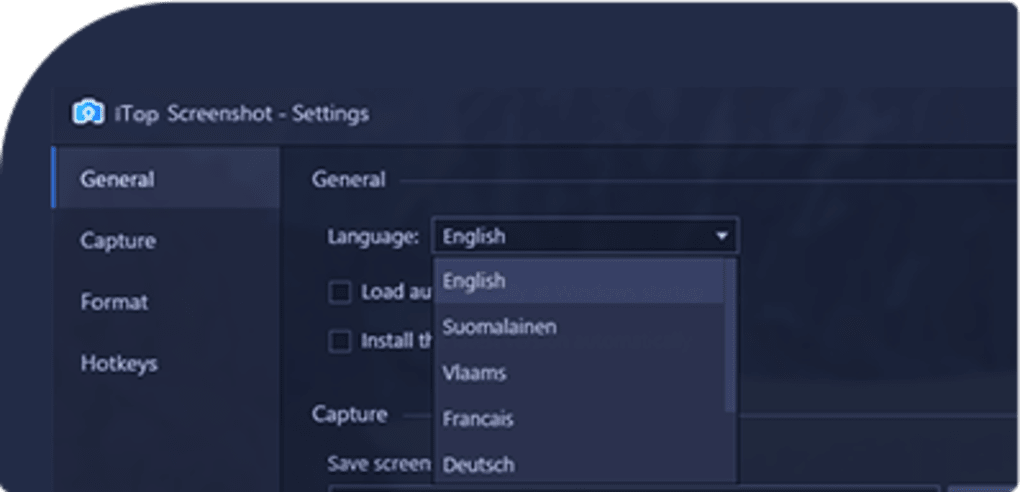
Getting started with iTop Screenshot is straightforward and user-friendly, regardless of your technical skill level. To begin, visit the official website and download the software for your operating system—Windows, Mac, Android, or iOS. The installer is lightweight, typically under 50MB, and installs in under a minute. Once installed, launch the app and take a moment to explore the customization settings in the preferences menu. Here, you can adjust capture hotkeys, set default save locations, enable auto-save, and choose your preferred image format.
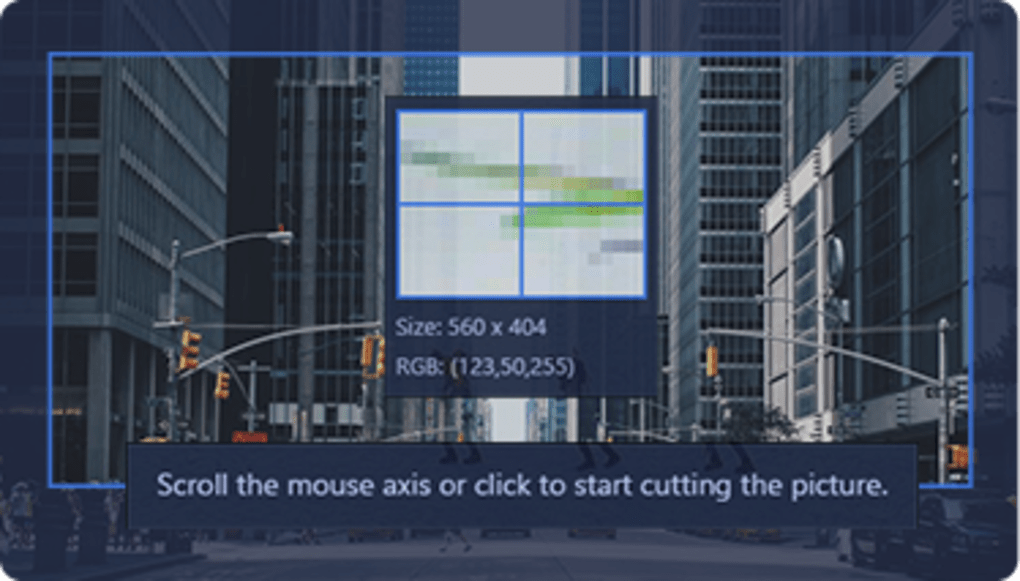
When you're ready to capture, simply click the ‘Capture’ button or use your assigned keyboard shortcut. You’ll be presented with three main options: Full Screen, Selected Area, and Scrolling Screenshot. For a standard capture, click and drag to select the region. For longer content, select “Scrolling Screenshot” and let the app automatically scroll and stitch the image. The process is smooth and typically takes just a few seconds, even for long web pages.
After capturing, the image opens in the built-in editor. Use the toolbar to add text, draw shapes, blur sensitive information, or resize the image. You can also rotate, crop, or adjust brightness and contrast. Once satisfied, click ‘Save’ to store it locally or ‘Share’ to send it directly via email, WhatsApp, Instagram, or other platforms. The entire workflow—from capture to sharing—is optimized for speed and simplicity.
For power users, the app also supports batch capturing and scheduled screenshots, ideal for monitoring processes or creating regular reports. All settings are preserved across sessions, so you don’t have to reconfigure every time you open the app.
Compatibility and System Requirements
iTop Screenshot is engineered for broad compatibility, ensuring it works seamlessly across modern devices. It supports Windows 7 and later, including Windows 10 and Windows 11, making it ideal for both home and office users. On Mac, it runs on macOS 10.14 (Mojave) and newer, including Apple Silicon (M1/M2) Macs with native support for optimal performance.
For mobile users, the iTop Screenshot app is available on both Android and iOS. The mobile version offers full functionality, including scrolling captures on long web pages and basic editing tools. While the interface is optimized for touch, it maintains consistency with the desktop version, so users can switch between devices without a learning curve.
The software is lightweight and efficient, requiring minimal system resources. It runs smoothly on devices with as little as 2GB RAM and 500MB of free disk space. No internet connection is required for basic capture and editing, though sharing features may need connectivity.
Security is a top priority. All captured images are stored locally by default, and the app does not collect or transmit user data without consent. The development team at ORANGE VIEW LIMITED emphasizes privacy, ensuring your screenshots remain private and secure. With regular updates to fix bugs and improve performance, iTop Screenshot remains a reliable and future-proof tool.
Pros and Cons of iTop Screenshot
Pros
- Free to download and use – No subscription or hidden fees; all features are unlocked in the free version.
- Scrolling screenshot functionality – Rare in free tools, ideal for long web pages and documents.
- Intuitive, clean interface – Easy to navigate, even for beginners.
- Powerful built-in editor – Add text, shapes, arrows, and blur sensitive content instantly.
- Multi-platform support – Available on Windows, Mac, Android, and iOS for seamless cross-device use.
- Fast and lightweight – Minimal impact on system performance.
- Direct sharing options – Send screenshots to social media, email, or messaging apps without leaving the app.
Cons
- Limited cloud integration – While it supports Google Drive and Dropbox, advanced cloud features are not available.
- No OCR (text recognition) – Cannot extract text from screenshots.
- Mobile version lacks advanced features – Some editing tools are simplified compared to desktop.
- Occasional update delays – New features may take time to roll out across all platforms.
- No team collaboration tools – Not designed for shared workspaces or project management.
Frequently Asked Questions (FAQ)
Is iTop Screenshot really free?
Yes, iTop Screenshot is completely free to download and use. There are no premium tiers, subscription fees, or hidden charges. All core features—including scrolling screenshots, editing tools, and direct sharing—are available in the free version.
Can I use iTop Screenshot on my Mac or iPhone?
Absolutely. iTop Screenshot is available for macOS 10.14 and later, including Apple Silicon Macs. The iOS app is available on the App Store for iPhone and iPad users, offering full capture and editing capabilities on mobile devices.
Does iTop Screenshot support scrolling screenshots?
Yes, one of the standout features is the scrolling screenshot tool. It captures entire web pages, long chats, or documents that extend beyond the visible screen, stitching them into a single image seamlessly.
Is my data secure when using iTop Screenshot?
Yes, iTop Screenshot prioritizes user privacy. Screenshots are stored locally by default, and the app does not collect or transmit personal data without your consent. Your images remain private and secure.
Can I edit screenshots after capturing them?
Yes, the built-in editor allows you to add text, draw lines and shapes, blur areas, crop, resize, and adjust brightness. All edits can be saved and shared instantly.
Conclusion: Why You Should Download iTop Screenshot Today
If you're searching for a reliable, free, and feature-rich screen capture tool, iTop Screenshot is an excellent choice. With its powerful scrolling screenshot capability, intuitive design, and seamless editing and sharing features, it stands out as one of the best free tools available. Whether you're a student taking notes, a professional creating documentation, or a content creator sharing visuals, this software adapts to your needs.
Its cross-platform availability ensures consistency whether you're on Windows, Mac, Android, or iOS. The fact that it’s completely free with no ads or watermarks makes it a rare gem in the software world. Plus, regular updates and strong privacy policies show the developers’ commitment to quality and user trust.
Don’t miss out on this efficient productivity booster. Download iTop Screenshot now and experience fast, secure, and high-quality screen captures with ease. Start capturing, editing, and sharing smarter today.







